
Fortnox Integration
Stop entering the same invoice twice. The Fortnox integration sends invoices, projects and customers from easyjob 6 to Fortnox, and reads back what has been paid.
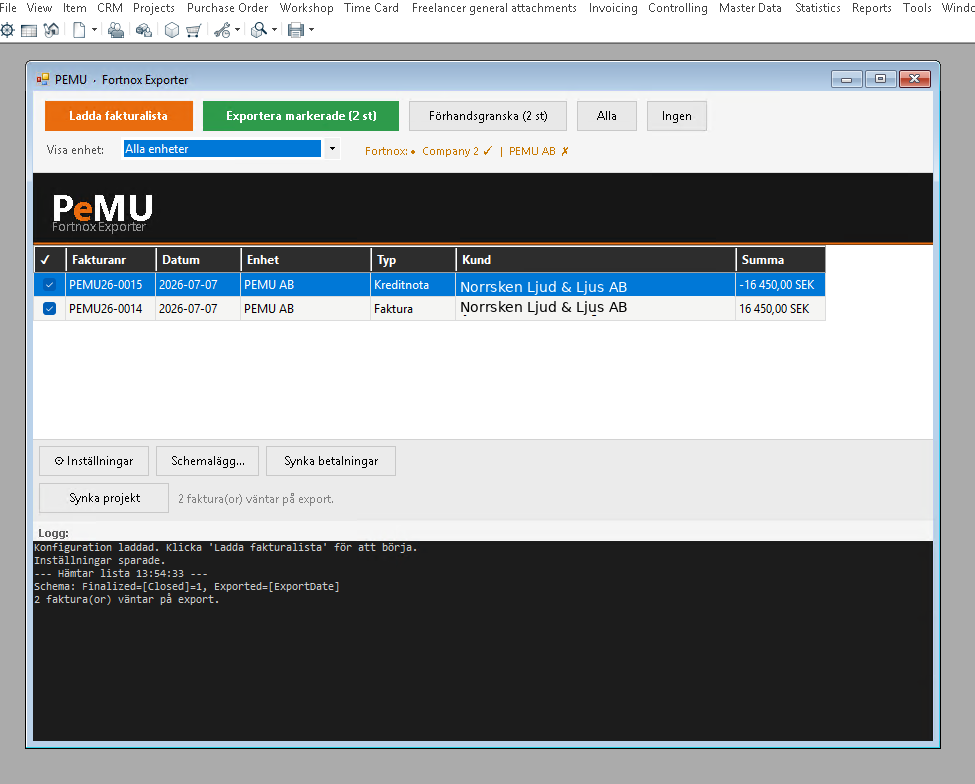
What Fortnox Integration does
Scheduled or manual project sync to Fortnox
Scheduled or manual invoice export, with three levels of detail
Customers are created and synced from easyjob 6 to Fortnox
Payment status is read back from Fortnox into easyjob 6
Several connected companies at the same time
Customer missing in Fortnox? Search the Fortnox customers, look the company up with Company Lookup, or create a new one
The problem it solves
Without an integration the invoice is entered once in easyjob 6 and once more in Fortnox. That takes time every invoicing round, and every manual line is a chance for errors. And nobody in easyjob 6 knows whether the customer has paid.
Requirements
- easyjob 6 from Protonic Software
- PEMU Center (free, installed once on the server)
Works with
Latest versions
- Optional text line first on the invoice sent to Fortnox, naming the project, the jobs, or both - The text is set per language (Swedish for SE invoices) and has buttons that add {number}, {name} and {jobs} at the cursor
- Choose which company invoices when several companies are connected to Fortnox, in the Invoice project window - The licence can include a number of companies that may be connected to Fortnox; a company beyond that number is refused with a message until the licence is raised - The contact check now accepts a contact on the project window, the project or the customer, without saving and reopening the project first - Optional setting: the customer must have a Commercial Register number before a project can be invoiced - The Invoice project button checks again straight away when a customer or contact is picked and when the project is saved
- New optional setting: finalize the invoice even when easyjob 6's own accounting export isn't set up, for example when invoices go to Fortnox through the plugin - Clearer message on the Invoice project button when all jobs sit on an invoice that was never finalized
- Project sync can include projects without a project type, even when a type list is ticked, and give them a default type you choose - Optional Invoice approval requirement: only approved jobs can be invoiced, and the window shows how many were left out - Project types and user rights fetched from easyjob 6 now show up in the lists in the settings (needs PEMU Center 1.5.11.0) - A change to which project types are synced is written to the log
- Project sync can now include projects without a project type, and give them a default type you choose - Optional Invoice approval requirement: only approved jobs can be invoiced, and the window shows how many were left out
More plugins
Company Lookup
Search company registers right from the address window and fill in or update the address with the correct details.
Spiris Integration
NewInvoices, customers, projects and payments between easyjob 6 and Spiris Bokföring & Fakturering (formerly Visma eEkonomi).
Freelancer Rates via Excel
Export and import freelancer rates per role, rate card and site in Excel. No Office needed.
Want to see Fortnox Integration in your own easyjob 6?
We’re happy to show you how it works and set up a trial.