
Plugins for easyjob 6
22 ready-made plugins that fill the gaps in easyjob 6. Built for real workflows and easy to install through PEMU Center.
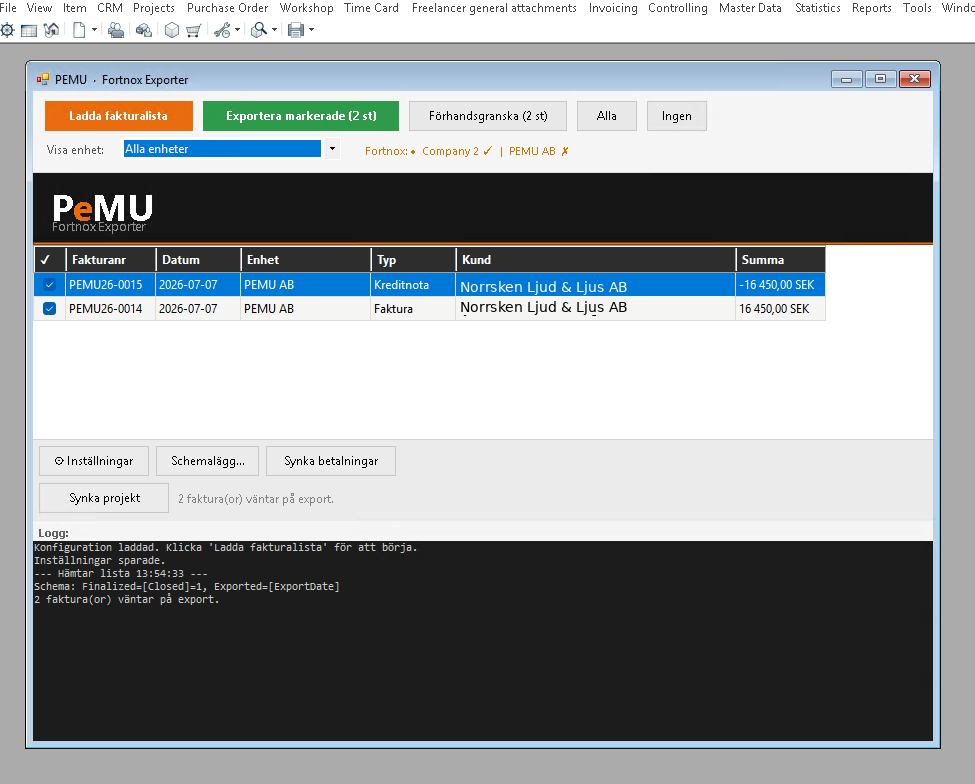
Fortnox Integration
Invoices, projects and customers from easyjob 6 to Fortnox, and payment status back. Scheduled or with one click.
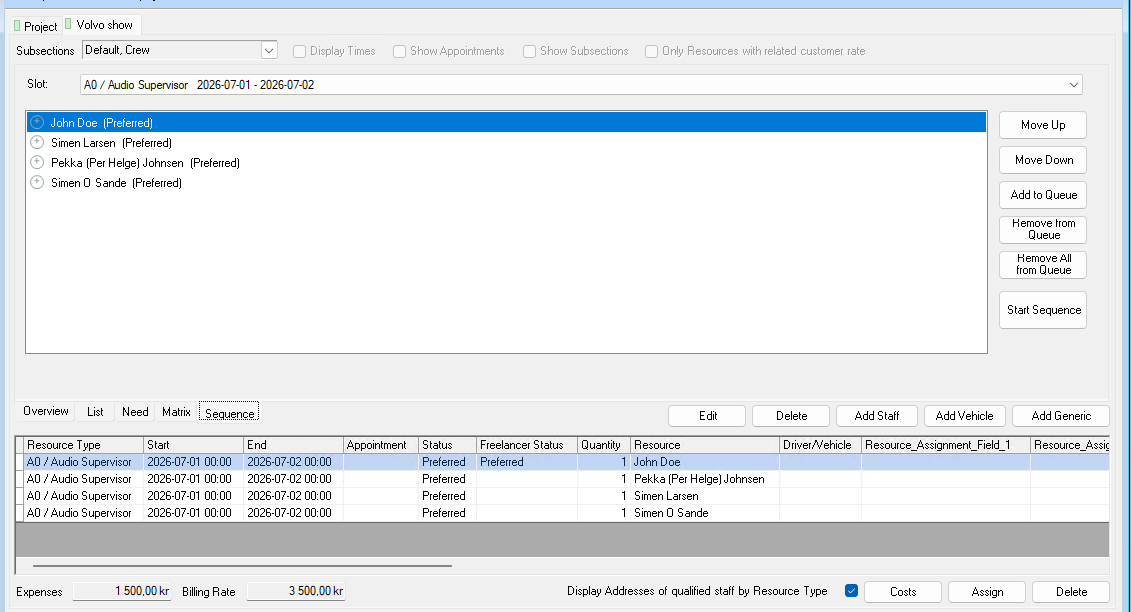
Crew Request Queue
Queue several people on the same booking. If someone declines or doesn’t answer in time, the next one is asked automatically.
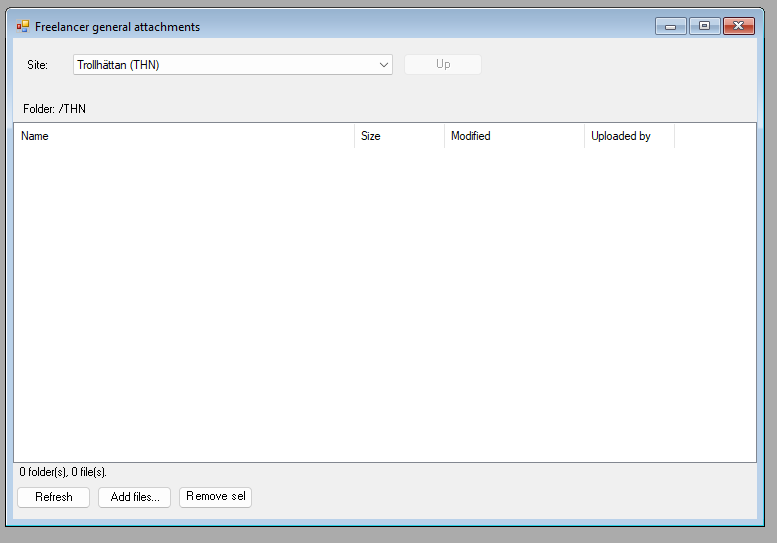
Dropbox Integration
A Dropbox folder per job, per project and per site, right inside easyjob 6. Share files without email chains.
Master Plan Board
Jobs, crew, vehicles, rooms and units on one timeline. With workload per employee and hotel and travel booking.
Company Lookup
Search company registers right from the address window and fill in or update the address with the correct details.
Customer Hub
NewOne window to create and maintain customers: contacts, invoicing details, debtor numbers, projects and history.
Sales Desk
A sales window for the job: items, crew, rooms and costs in one place, with the schedule and quotation texts alongside.
Sales Item Prices via Excel
Export all sales items to Excel, change prices and settings, and read them back in.
Sales Pipeline Links via Excel
Link projects to sales pipelines and set your own numbers on both, in one Excel round trip.
Vehicle Data
NewA tab with your own fields on the vehicle, such as length or emission class, that can also be used in reports.
Freelancer Hub
One window for freelancers and employees: details, roles, rates, portal rights, invitations and GDPR.
Freelancer Rates via Excel
Export and import freelancer rates per role, rate card and site in Excel. No Office needed.
Freelancer Purchase Orders
Creates or extends the purchase order automatically when a freelancer is booked, and cancels it when the booking is cancelled.
Freelancer PO Audit
Compares freelancer bookings with the rate card and the order line, corrects prices and creates missing orders.
Rate Card Audit
Finds planned bookings whose prices no longer match the rate card and updates the ones you choose.
Crew Survey
Sends easyjob 6’s own surveys to booked crew automatically, using rules you set.
Late Change Charge
Asks about an extra charge when someone is assigned to a booking that starts soon, and stores the answer.
PO Numbers
Copies the own number and reference from sales pipeline, project or job onto purchase orders, and shows which ones are missing them.
Undo Tranship
Reverses a tranship that went to the wrong job. easyjob 6 has no undo of its own for that.
Web Portal Rights
Tick what a company may do in the web portal, right on the address’s web access page.
Project Profitability
NewContribution margins at three levels per job and project, planned against actual.
OBU Timeline
See day by day whether the equipment planned into an OBU is enough or sits unused, and book transfer jobs straight away to fix the gaps.
Label Print
Coming soonPrint easyjob 6 labels on a Brother PT-P950NW through easyjob 6’s print server, with no printer driver on each computer.
Install, try and update, right inside easyjob 6
Install PEMU Center
Once, on your easyjob 6 server. PEMU Center is free and gathers all plugins in one place in easyjob 6, under Tools.
We activate the licence
You choose plugins and licence type. Your server fetches the licence automatically, with no key to paste in.
Install with one click
The plugin appears in PEMU Center with an Install button. Settings are made in the same place.
You decide when to update
New versions are installed when it suits you, and can be rolled back. Nothing updates by itself.
Choose the licence that suits you
Each plugin can be licensed the way that suits you best. One licence key covers all your plugins.
Subscription
An ongoing licence that renews automatically until you cancel. All updates included.
One-off purchase with updates
Buy once and get new versions for an agreed period. After that the plugin keeps working.
One-off purchase
Buy once. The licence never expires.
Good to know
Which version of easyjob 6 is needed?
The plugins are built for easyjob 6 from Protonic Software. Get in touch if you have an older version and we’ll take a look.
How are the plugins installed?
Through PEMU Center, which is installed once on your easyjob 6 server. After that, each plugin is installed and updated with one click from inside easyjob 6. Client PCs need no internet access, only the server.
Can we try before we buy?
Yes. We can set up a trial period so you can test the plugin in your own environment before you decide.
What happens if the licence expires?
easyjob 6 is never affected. You get warnings for 30 days, after which only that plugin’s features are switched off until the licence is renewed.
Can we choose between subscription and one-off purchase?
Yes. The licence type is set per plugin and per customer: an ongoing subscription, a one-off purchase, or a one-off purchase with updates for an agreed period.
Can you build something that isn’t listed here?
Gladly. Many of the plugins started as a specific need at a customer. Tell us what you’re missing in easyjob 6 and we’ll look at how it can be solved.
Do you work with customers outside Sweden?
Yes. The plugins work with easyjob 6 wherever it runs, and installation and updates happen remotely through PEMU Center. Support is available in English and Swedish.
Missing something in easyjob 6?
Many plugins started as a specific need. Tell us what you’re missing and we’ll see how it can be solved.